
Chevrolet Sonic Repair Manual: Air Cleaner Element Replacement
- Removal Procedure
-
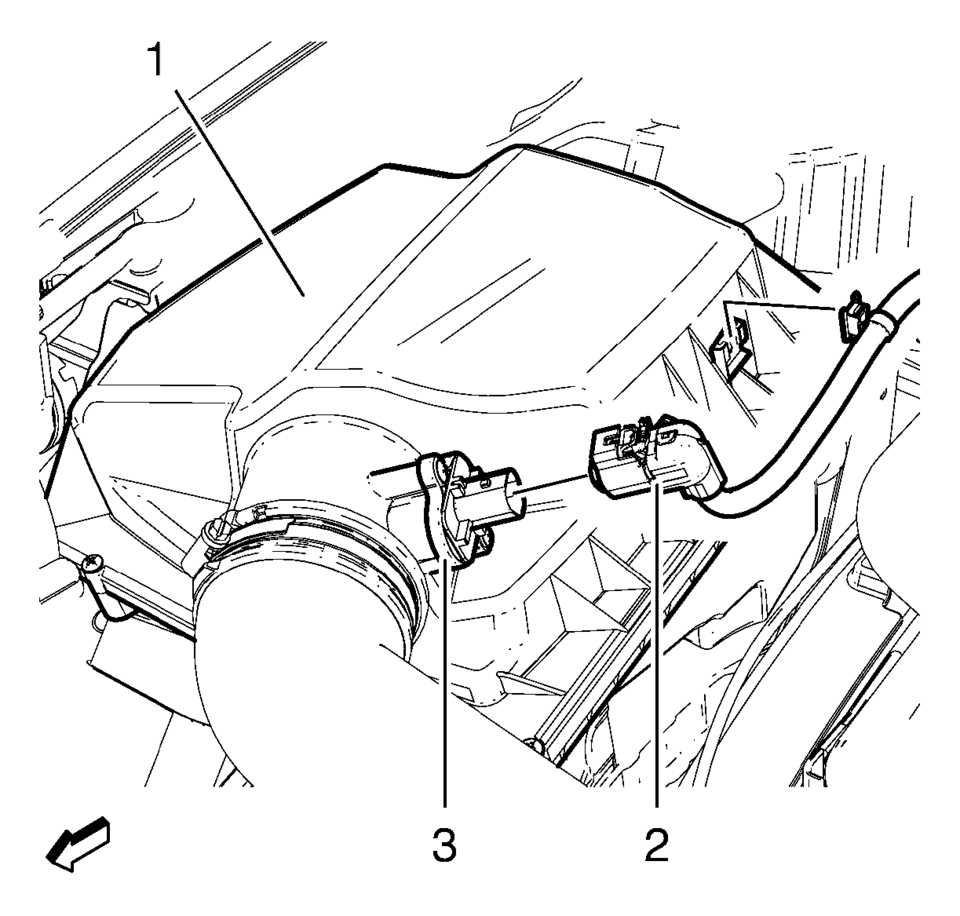
- Disconnect mass air flow sensor wiring harness plug (2) from mass air flow sensor (3).
- Unclip mass air flow sensor wiring harness retainer clip from air cleaner housing (1).
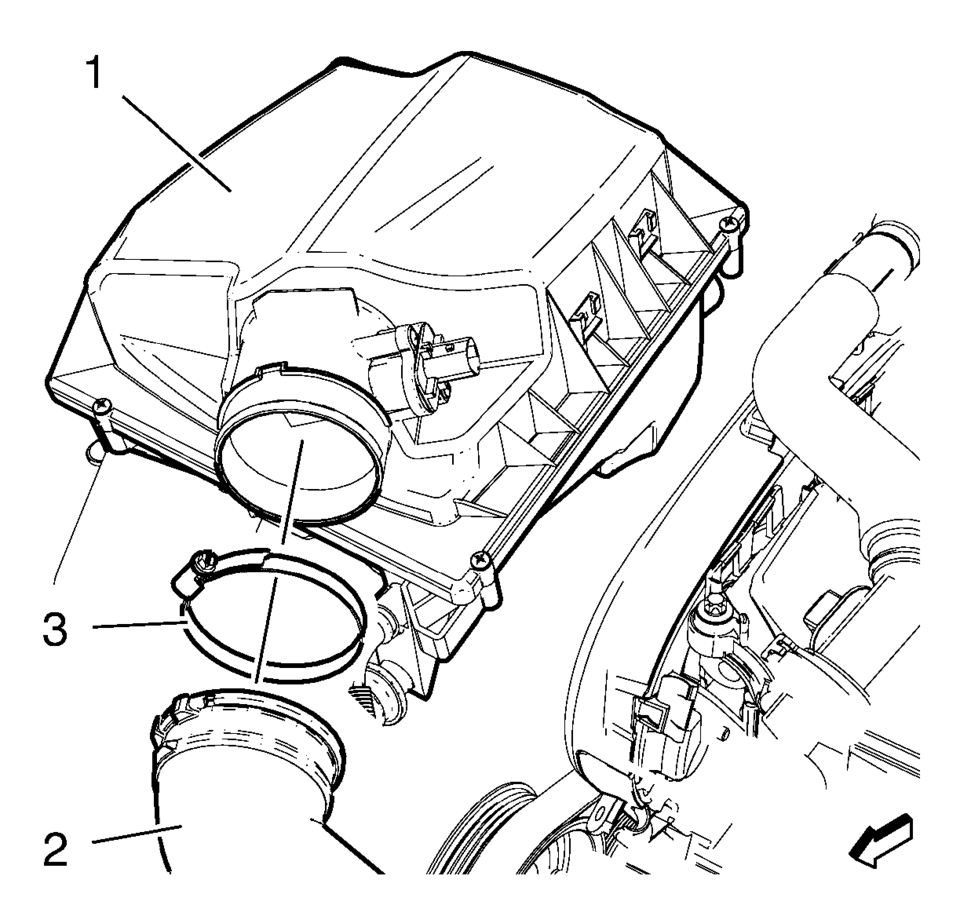
- Remove the air cleaner outlet duct clamp (3).
- Remove the air cleaner outlet duct (2) from air cleaner housing (1).
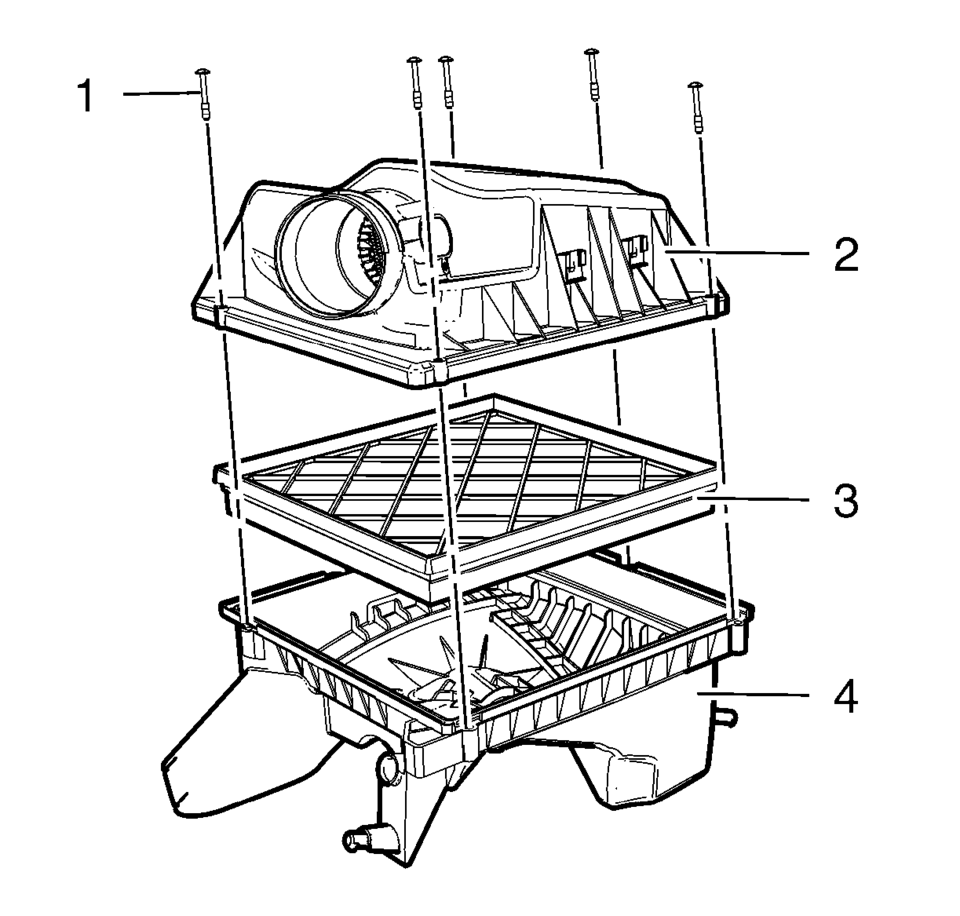
- Remove the 5 air cleaner housing bolts (1).
- Remove the air cleaner upper housing (2) from the air cleaner lower housing (4).
- Remove the air cleaner element (3).
- Installation Procedure
-
- Install the air cleaner element (3).
- Install the air cleaner upper housing (2) to the air cleaner lower housing (4).
- Install the 5 air cleaner housing bolts (1).
- Install the air cleaner outlet duct (2) to the air cleaner housing (1).
- Install the air cleaner outlet duct clamp (3).
- Clip in mass air flow sensor wiring harness retainer clip to air cleaner housing (1).
- Connect the mass air flow sensor wiring harness plug 2) to the mass air flow sensor (3).
Caution:
Refer to Fastener Caution.
 Air Cleaner Assembly Replacement
Air Cleaner Assembly Replacement
Callout
Component Name
1
Air Cleaner Outlet Duct Clamp.
Procedure
Loosen clamp a ...
 Air Cleaner Inlet Duct Replacement
Removal Procedure
Remove the right front wheelhouse liner. Refer to Front Wheelhouse Liner
Replacement.
Remove the upper intake air duct plastic fastener (1).
...
Other materials:
Front Wheel Drive Shaft Seal Replacement - Left Side
Special Tools
DT-446 Installer Drift
DT-7004 Slide Hammer
DT-23129 Universal Seal Remover
For equivalent regional tools, refer to Special Tools.
Removal Procedure
Raise and support the vehicle. Refer to Lifting and Jacking the Vehicle.
Remove the front suspension sk ...
Front Wheel Drive Shaft Seal Replacement - Left Side
Front Wheel Drive Shaft Seal Replacement - Left Side
Callout
Component Name
Preliminary Procedure
Raise and support the vehicle. Refer to Lifting and Jacking the
Vehicle.
Remove the front wheel drive shaft from the transm ...
Locking with power door lock switch
Driver's armrest
Front passenger's armrest
Basic information
The Nissan Armada power door lock system allows centralized locking and unlocking
of all doors using switches located on both the driver’s and front passenger’s doors.
To lock all doors, press the switch to the lo ...

0.0072