
Chevrolet Sonic Repair Manual: Air Conditioning System Seal Replacement
- Removal Procedure
-
- Disassemble the A/C refrigerant components. Refer to the appropriate repair procedure.
- Cap or tape the A/C refrigerant components.
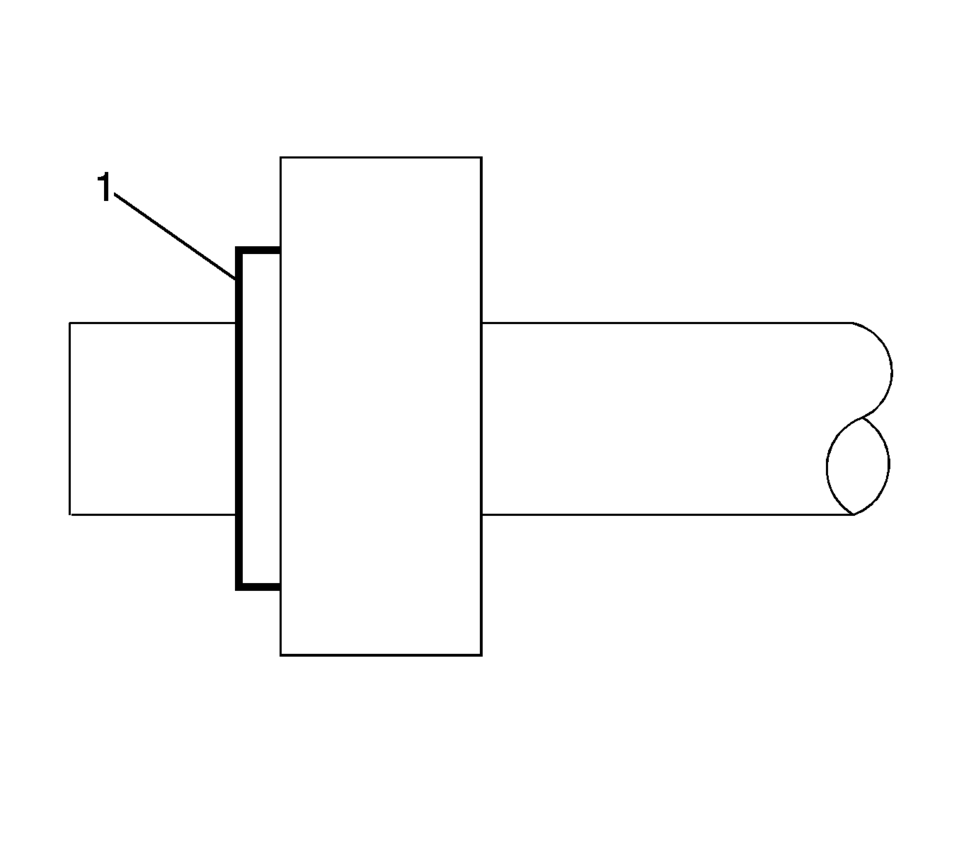
- Remove the sealing washer (1) from the A/C refrigerant component.
- Inspect the seal washer for signs of damage to help determine the root cause of the failure.
- Inspect the A/C refrigerant components for damage or burrs. Repair if necessary.
- DISCARD the sealing washer.
Note:
Cap or tape the open A/C refrigerant components immediately to prevent system contamination.
Note:
DO NOT reuse sealing washer.
- Installation Procedure
-
- Inspect the new sealing washer for any signs of cracks, cuts, or damage.
Do not use a damaged sealing washer.
- Remove the cap or tape from the A/C refrigerant components.
- Using a lint-free clean, dry cloth, clean the sealing surfaces of the A/C refrigerant components.
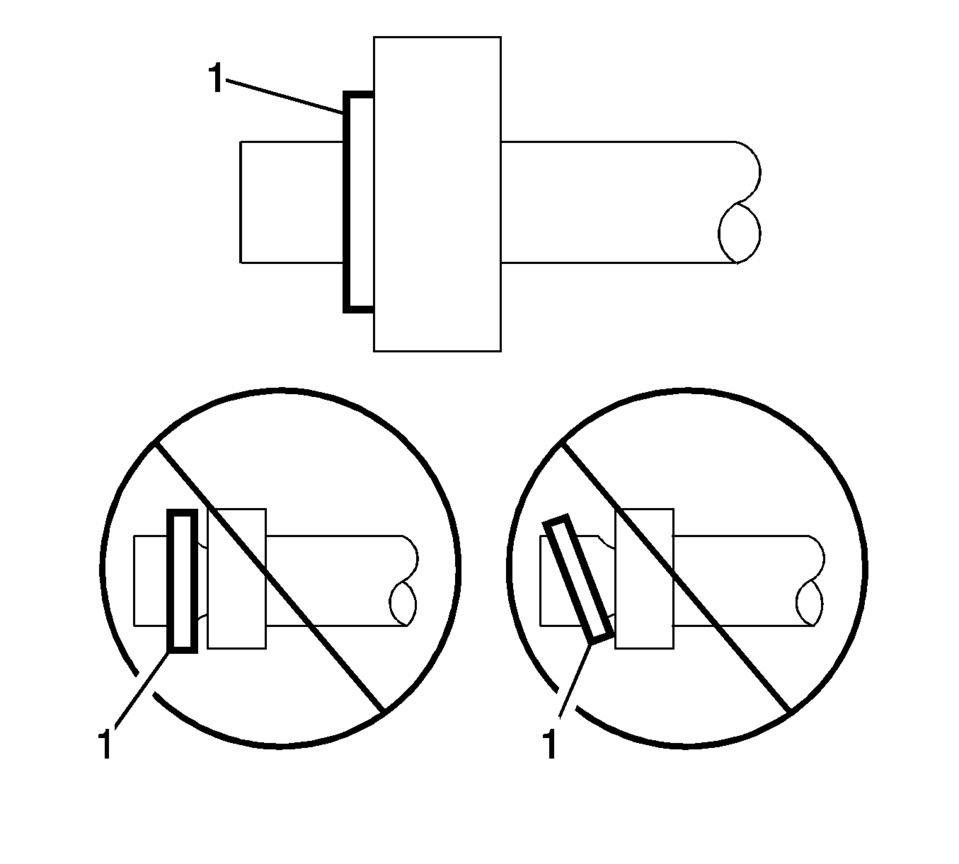
- Carefully install the NEW sealing washer (1) onto the A/C refrigerant
component.
The sealing washer (1) must completely bottom against the surface of the fitting.
- Assemble the remaining A/C refrigerant components. Refer to the appropriate repair procedure.
Note:
Flat washer type seals do not require lubrication.
Note:
After tightening the A/C components, there should be a slight sealing gap of approximately 1.2 mm (3/64 in) between the A/C line and the A/C component.
- Inspect the new sealing washer for any signs of cracks, cuts, or damage.
 Air Conditioning Refrigerant Service Valve Core Replacement
Special Tools
GE-39400-A Halogen Leak Detector
GE-46246 Valve Core Removal Tool
For equivalent regional tools, refer to Special Tools.
Removal Procedure
Recover the refrigerant ...
 Air Inlet Assembly Replacement
Air Inlet Assembly Replacement
Callout
Component Name
Preliminary Procedures
Remove the Heater and Air Conditioning Evaporator and ...
Other materials:
Rear Side Door Weatherstrip Replacement - Door Side
Rear Side Door Weatherstrip Replacement - Door Side
Callout
Component Name
1
Rear Side Door Weatherstrip
Procedure
Open the front side door to the fully open position.
Remove the front side door check link bo ...
Front Floor Console Extension Replacement - Right Side
Front Floor Console Extension Replacement - Right Side
Callout
Component Name
1
Front Floor Console Extension
Procedure
Use a flat bladed plastic trim tool in order to release the retainers
securing the extens ...
Transmission Fluid Pump, Front Differential Carrier Baffle, and Front Differential
Ring Gear Installation (6T30)
Transmission Fluid Pump, Front Differential Carrier Baffle, and Front
Differential Ring Gear Installation
Callout
Component Name
1
Torque Converter and Differential Housing Seal
2
Fluid Pu ...

0.005