
Chevrolet Sonic Repair Manual: Rear Seat Back Cushion Removal and Installation (40%)
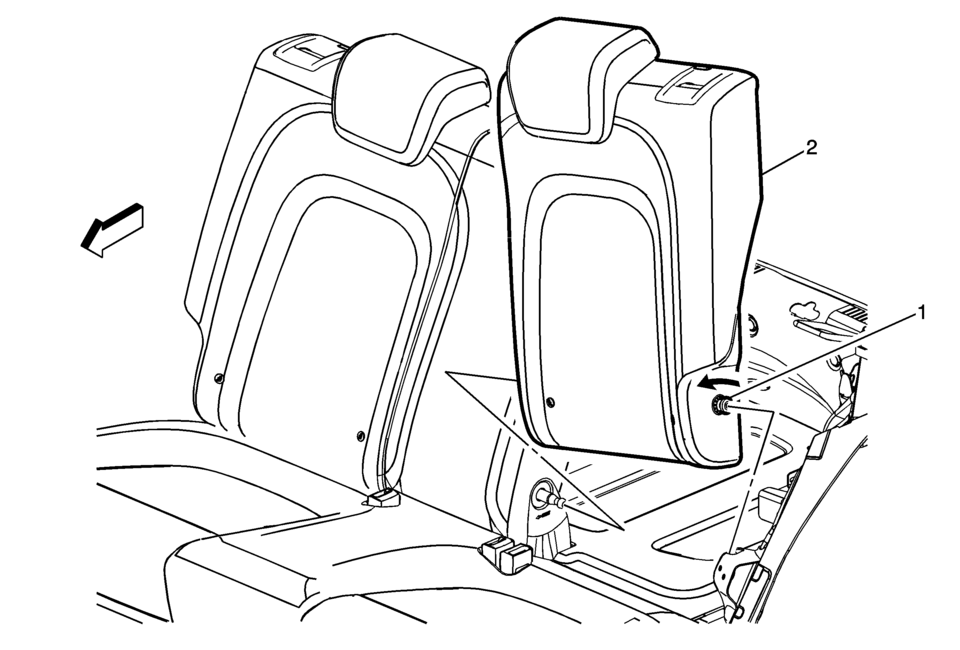
|
Callout |
Component Name |
|---|---|
Preliminary Procedure
|
|
|
1 |
Rear Seat Back Cushion Pivot Support Procedure
|
|
2 |
Rear Seat Back Cushion Procedure
|
 Rear Seat Back Cushion Pivot Support Replacement
Rear Seat Back Cushion Pivot Support Replacement
Callout
Component Name
Preliminary Procedure
Remove the rear seat back cushion ...
 Rear Seat Back Cushion Removal and Installation (60%)
Rear Seat Back Cushion Removal and Installation
Callout
Component Name
Preliminary Procedure
Remove the rear seat cushion. Refer to ...
Other materials:
Windshield Wiper Arm Replacement
Windshield Wiper Arm Replacement
Callout
Component Name
Preliminary Procedure
Open and support the hood assembly.
1
Windshield Wiper Arm Nut Cap
Tip: Use a small flat-bladed tool in order to ...
Engine protection mode
The Nissan Armada is equipped with an advanced engine protection mode designed
to help prevent engine damage when operating under extreme conditions. This system
activates when engine coolant temperature rises excessively, such as during towing
heavy loads, driving uphill, or operating in high ...
Hands On Detection
Basic information
In the Nissan Armada, the Hands On Detection system is an essential safety feature
integrated within Steering Assist and ProPILOT Assist technologies. This system
continuously monitors the driver’s interaction with the steering wheel through built-in
sensors, ensuring that ...

0.0088