
Chevrolet Sonic Repair Manual: Selector and Shift Lever Cable Bracket Replacement
- Removal Procedure
-
- Remove the battery tray. Refer to Battery Tray Replacement.
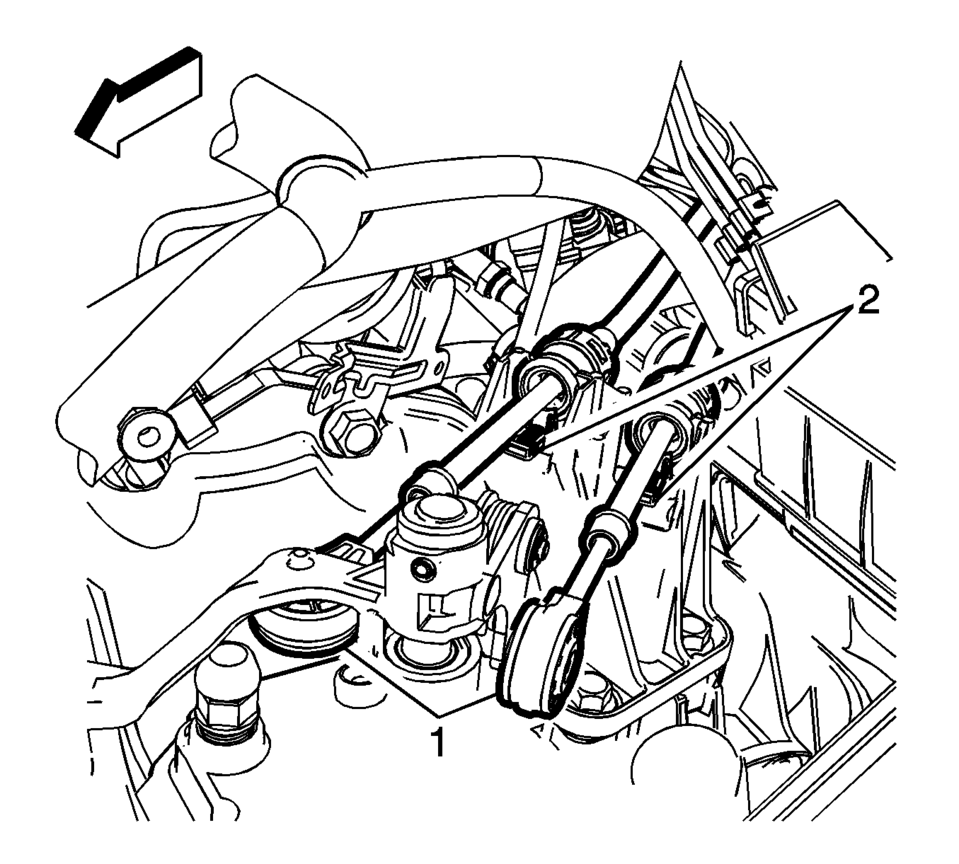
- Disconnect the shift lever and selector lever cable end (1) from the transmission shift lever and selector lever.
- Pull the cable retainers (2) to release the shift lever and selector lever cable from the shift lever and selector lever cable bracket.
- Disconnect the shift lever and selector lever cable from the shift lever and selector lever cable bracket.
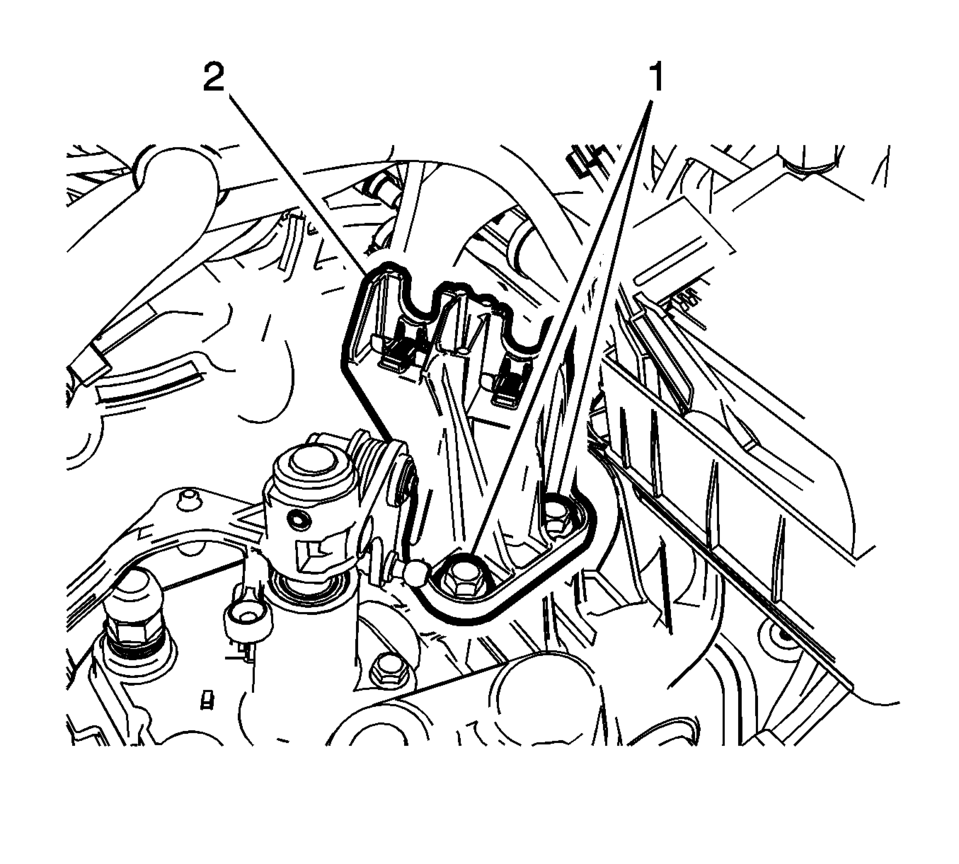
- Remove the 2 shift lever and selector lever cable bracket fasteners (1).
- Remove the shift lever and selector lever cable bracket (2) from the transmission.
- Installation Procedure
-
- Position the shift lever and selector lever cable bracket (2) on the transmission.
- Install the 2 shift lever and selector lever cable
bracket fasteners (1) and tighten to 58 Y
(43 lb ft)
.
- Connect the shift lever and selector lever cable ends (1) to the transmission shift lever and selector lever.
- Pull the cable retainers (2), then position the shift lever and selector lever cable in the shift lever and selector lever cable bracket.
- Release the cable retainers (2) to connect the shift lever and selector lever cable to the shift lever and selector lever cable bracket.
- Adjust the shift lever and selector lever cables. Refer to Manual Transmission Shift Lever and Selector Lever Cable Adjustment.
- Install the battery tray. Refer to Battery Tray Replacement.
- Verify correct operation of the transmission control assembly.
Caution:
Refer to Fastener Caution.
 Manual Transmission Shift Lever and Selector Lever Cable Replacement
Removal Procedure
Remove the battery tray. Refer to
Battery Tray Replacement.
Disconnect the shift lever and selector lever cable
end (1) from the transmissio ...
 Shift Control Housing Replacement
Removal Procedure
Set the parking brake.
Shift the transmission to the Neutral position.
Remove the battery tray. Refer to
Battery Tray Replacement.
Remove the brake master c ...
Other materials:
Turbocharger Oil Return Pipe Replacement
Removal procedure
Remove the drivetrain and front suspension frame skid plate, if equipped.
Refer to Drivetrain and Front Suspension Frame Skid Plate Replacement.
Note: Simplified Graphic. DO NOT remove the warm up three
way catalytic converter.
...
Secondary Air Injection Pump Air Cleaner Pipe Replacement
Secondary Air Injection Pump Air Cleaner Pipe Replacement
Callout
Component Name
1
Hose Retainer (QTY:2)
Note: Squeeze the retainer on opposite sides to release.
2
Secondary A ...
Meters and gauges
Basic information
Example
The instrument cluster in the Nissan Armada is designed to provide clear, real-time
information about vehicle performance and status. It combines modern digital displays
with traditional gauges to ensure the driver can monitor all critical systems efficiently.
...

0.0066