
Chevrolet Sonic Repair Manual: Transmission Mount Bracket Replacement - Rear
- Removal Procedure
-
- Raise and support the vehicle. Refer to Lifting and Jacking the Vehicle.
- Using a suitable jack stand, support the rear of the transmission.
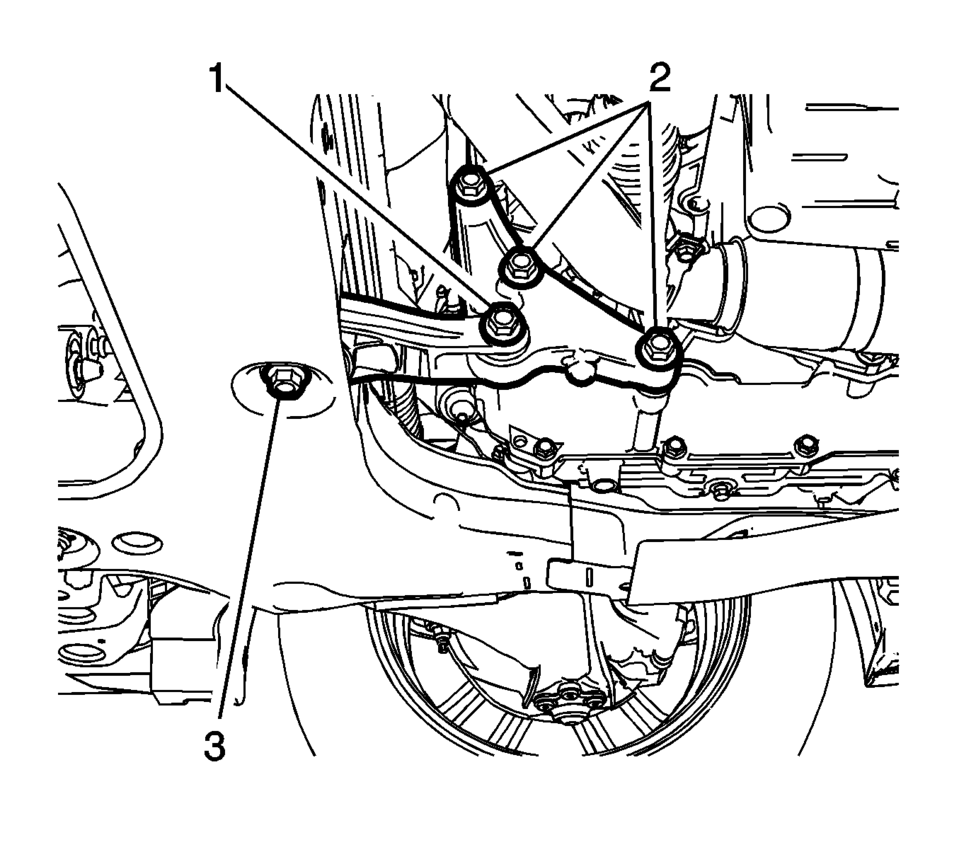
- Remove and DISCARD the rear transmission mount bracket to rear mount through bolt (1).
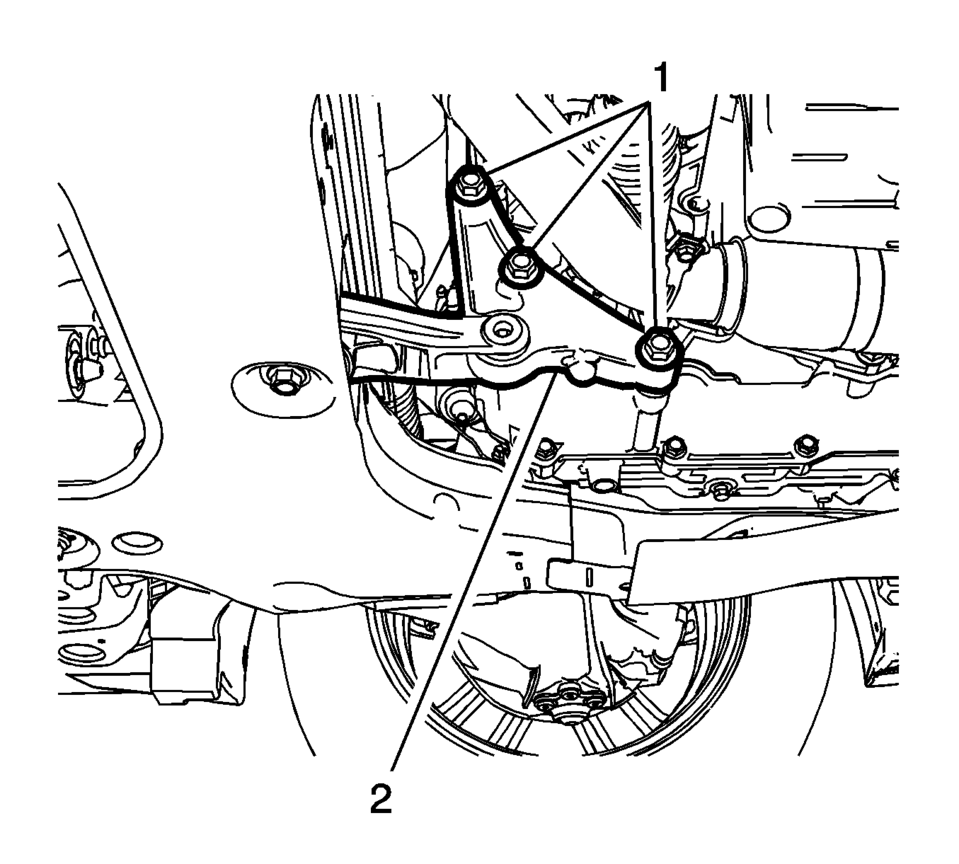
- Remove and DISCARD the 3 rear transmission mount bracket to transmission bolts (1).
- Remove the rear transmission mount bracket (2).
- Installation Procedure
-
- Install the rear transmission mount bracket (2).
- Install the 3 NEW rear transmission mount bracket
to transmission bolts (1) and tighten to 100 Y (74 lb ft)
plus 30?5 degrees
.
- Install the NEW rear transmission mount bracket to
rear mount through bolt (1) and tighten to 80 Y (59 lb ft)
plus 45?0 degrees
.
- Remove the jack stand.
- Lower the vehicle.
Caution:
Refer to Fastener Caution.
 Transmission Fluid Pump, Front Differential Carrier Baffle, and Front Differential
Ring Gear Removal (6T40/45)
Transmission Fluid Pump, Front Differential Carrier Baffle, and Front Differential
Ring Gear Removal (6T40/45)
Transmission Fluid Pump, Front Differential Carrier Baffle, and Front
Differential Ring Gear Removal
Callout
Component Name
1
...
 Transmission Mount Replacement - Left Side
Removal Procedure
Remove the battery tray. Refer to
Battery Tray Replacement.
Install the engine support fixture. Refer to
Engine Support Fixture.
Remove and DIS ...
Other materials:
Protecting Exterior Bright Metal Moldings
Caution
Failure to clean and protect the bright metal moldings can result in a hazy
white finish or pitting. This damage would not be covered by the vehicle warranty.
The bright metal moldings on the vehicle are aluminum. To prevent damage always
follow these cleaning instructions:
Be sure ...
Engine Flywheel Installation
Special Tools
EN-652 Flywheel Holder
EN-45059 Torque Angle Sensor Kit
For equivalent regional tools, refer to Special Tools.
Clean the thread in the crankshaft.
Install the crankshaft position reluctor ring (1).
Install the flywheel (2).
Install the EN-652 ...
Front seats
Front power seat adjustment
The Nissan Armada front seats are equipped with advanced power adjustment features
designed for comfort and ergonomic support during long drives.
Operating tips:
The power seat motor includes an automatic overload protection system. If
adjustment stops unexpect ...

0.0059