
Chevrolet Sonic Repair Manual: Backup Lamp Switch Replacement
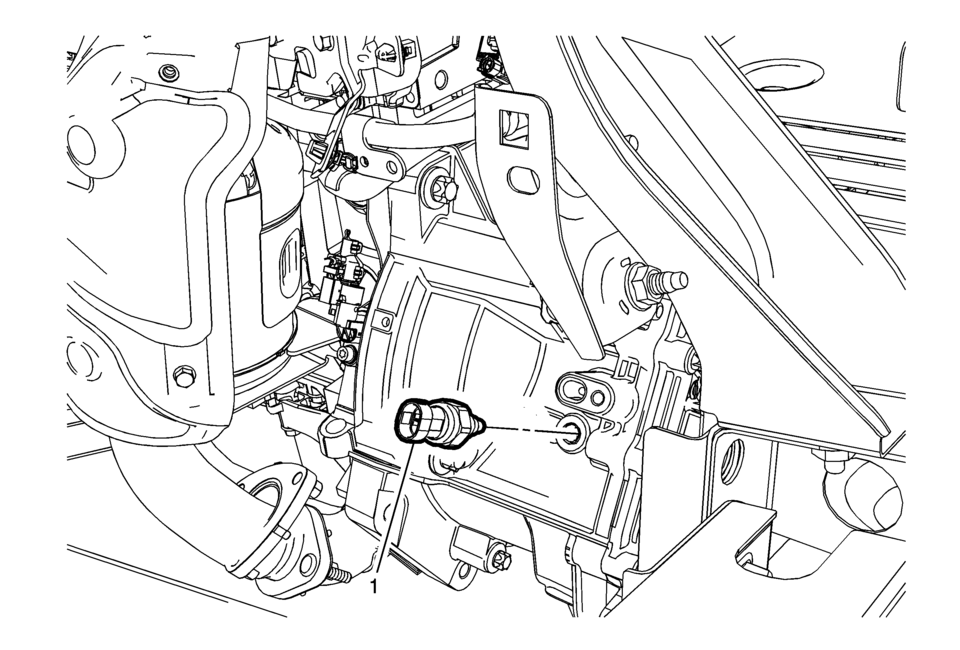
|
Callout |
Component Name |
|---|---|
Preliminary Procedure
|
|
|
1 |
Backup Lamp Switch Caution: Refer to Component Fastener Tightening Caution. Procedure
Disconnect the electrical connector. Tighten
20?€‰Y (15?€‰lb?€‰ft) |
|
2 |
Backup Lamp Switch Washer Procedure
DISCARD the washer and install a NEW washer. |
 Backup Lamp Bulb Replacement (Sedan)
Backup Lamp Bulb Replacement
Callout
Component Name
Preliminary Procedure
Remove the tail lamp assembly. Refer to Tail Lamp Rep ...
 Backup Lamp Switch Replacement
Removal Procedure
Disconnect the electrical connector from the backup lamp switch?€‰(1).
Remove the backup lamp switch?€‰(1) from the transmission.
Remove and D ...
Other materials:
Special Tools
Illustration
Tool Number/Description
EL–50334–20
Multi-Media Interface Tester (MIT)
EL–50334–50
USB Cable and Adapter Kit
EL-48028
Digital Radio Test ...
Rear Side Door Window Weatherstrip Replacement (Sedan)
Rear Side Door Window Weatherstrip Replacement
Callout
Component Name
Preliminary Procedures
The rear door side window weatherstrip and window is serviced as
one assembly. Refer to Rear Side Door Stationary Window Replacement. ...
Rear Wheel Bearing and Hub Replacement (Drum Brake)
Rear Wheel Bearing and Hub Replacement
Callout
Component Name
Preliminary Procedures
Raise and support the vehicle. Refer to Lifting and Jacking the
Vehicle.
Remove the tire and wheel assembly. Refer to Tire and Wheel Rem ...

0.0063